



 Newsletter
How to divide a PDF file into multiple files with unique keywords?
Question
Solution
You can use A-PDF Content Splitter (free download here) to divide a PDF file into multiple files with unique texture in a easy way, it automate the process of searching words, marking them then splitting the document based on them in few seconds.
Now, the tutorial below explains how to use A-PDF Content Splitter with ease:
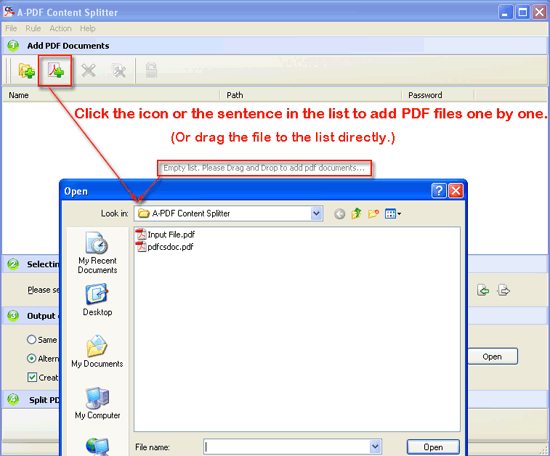
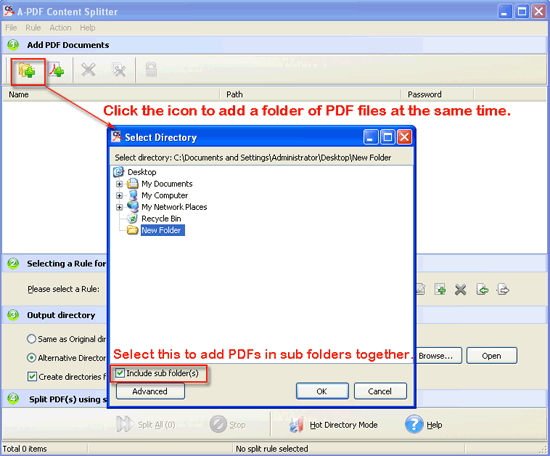
- Free download and install A-PDF Content Splitter, operate PdfCS.exe, let’s have a look at the common mode--Batch Mode in the beginning. The first step is to add PDF documents:
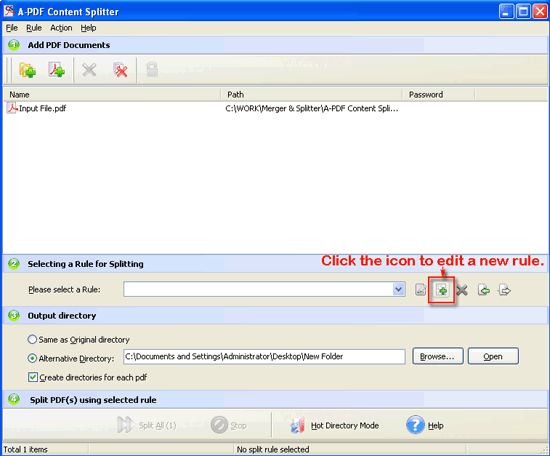
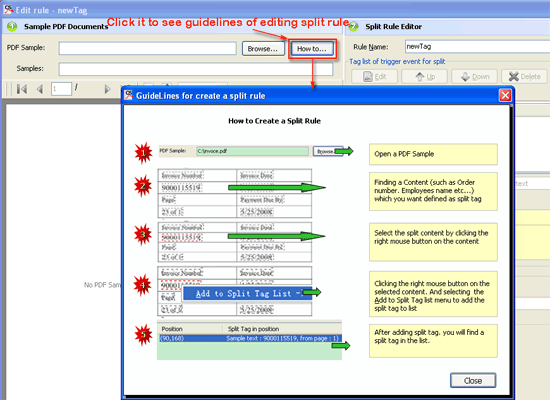
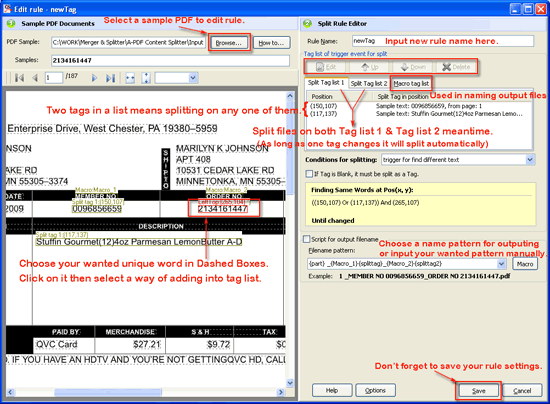
- Select a Rule for splitting: click the icon “Add Rule” and then edit in the follow interface.
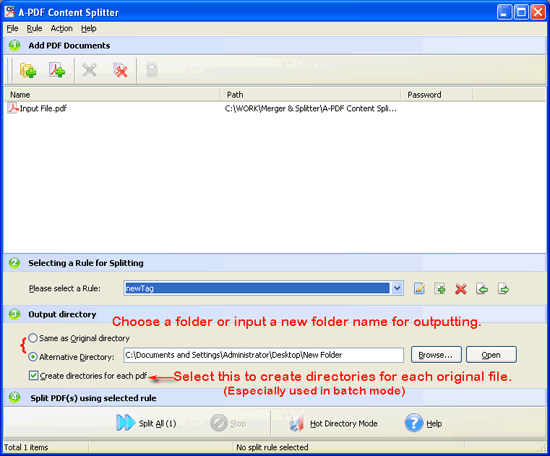
- After editing a new rule, choose it and then input a folder for outputting:
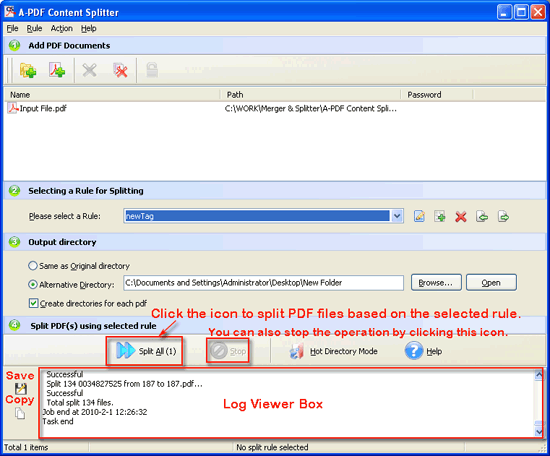
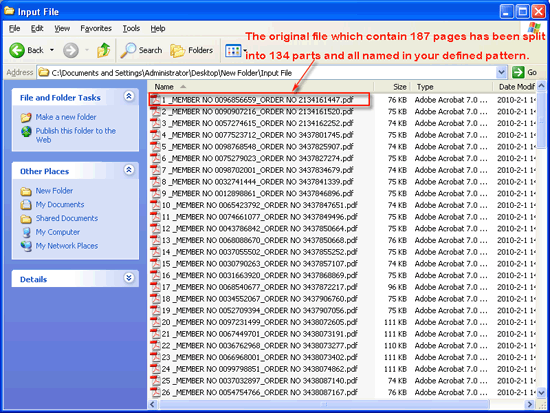
- The last step: Click “Split All(1)” to start splitting, you can also stop it by clicking “Stop”, then you will see a Log Viewer Box, you can save or copy the log as you wanted.
 |
 |
 |
 |
 |
 |
 |
 |
Now let’s have a look at the Hot Directory Mode:
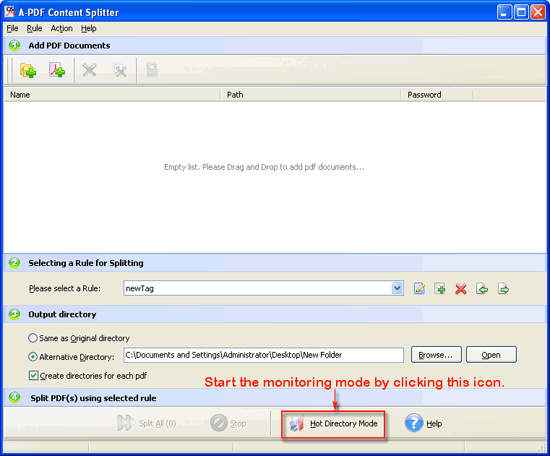 |
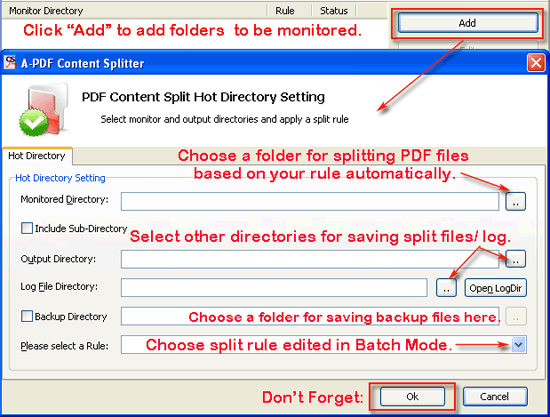 |
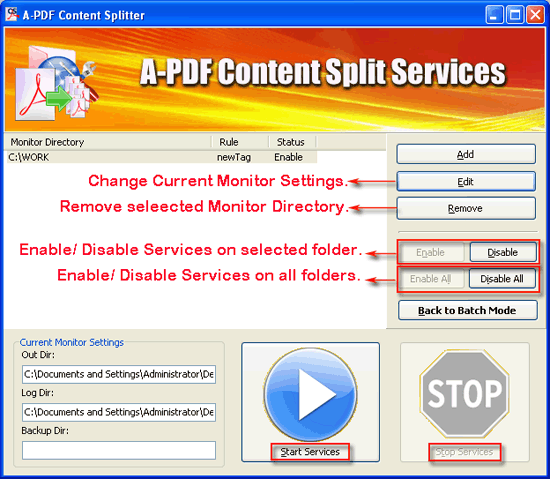 |

|
View video tutorial
 |
Related products
- A-PDF Split - Split any Acrobat PDF file into separate pdf files base on page, bookmark and more
- A-PDF Size Splitter - Split any Acrobat PDF file or group of files into smaller-sized pdf files
We always like improving our products based on your suggestions. Please send your feedback (or ask questions) to us in the contact page.
 Follow us
| Flip
HTML5 | Flip
Builder | Free
Office | Free Presentation Tool
Follow us
| Flip
HTML5 | Flip
Builder | Free
Office | Free Presentation Tool 