



 Newsletter
A-PDF Scan Optimizer
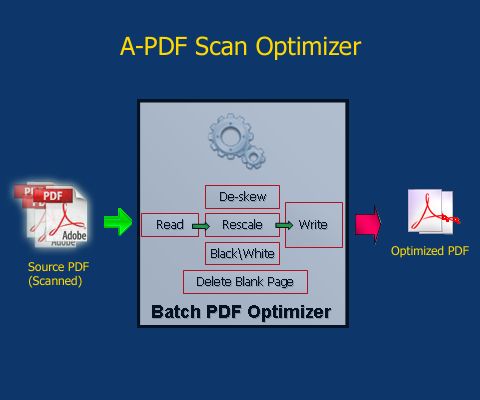
A-PDF Scan Optimizer provides a quick way to batch optimize your scanned PDF documents. A-PDF Scan Optimizer help you to correct the skew scanned image within PDF; convert the scanned image to black/white or gray in Acrobat PDF; downsample the image in PDF and delete unused blank page in PDF directly.

|

|
|
| only $39 Get a free license >> |
Free download trial version |
How does it work
Sample: De-skew
| before | after |
 |
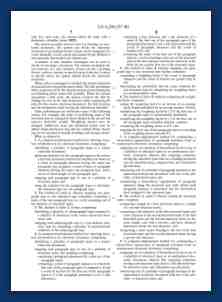 |
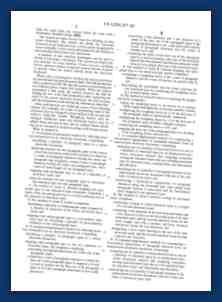
A-PDF Scan Optimizer opens a PDF file and automatically checks if images inside are skewed, then corrects the skewed images using a special algorithm.
Please Note: The Deskew function works only with the scanned text-print image. Other images such a picture or photo may cause error.
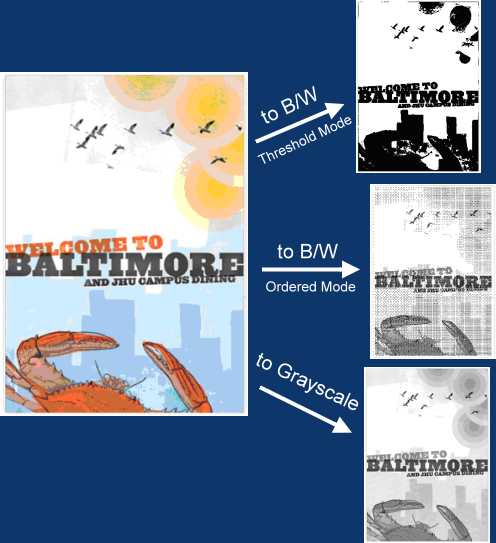
Sample: To Black\White
Why A-PDF Scan Optimizer
If you want to transferring a large PDF file over the web, for the PDF document has been optimized for fast web viewing, a web server can transfer the optimized PDF document one page at a time, that means, the first page of the document will be presented to the user without having to wait for the full document to download from the web server. This will greatly enhanced the end user's experience.
So, you can try A-PDF Scan Optimizer. This software is professional on optimizing PDF files especially scanned PDF files, such as de-skew, convert to black/white, reduce file size, delete blank pages, etc.. The program provides several
ways to reduce file size: By DPI, By Scale, By Width and Height.
Support Watch-Folder Mode
The program monitor directories in a server, when some scanned PDF copying in, the file will be optimized and sent to output directories automatically.
Easy to use
The program is designed for ease of use:
- Select the PDF files which have scanned images
- Click "Optimize" or "Optimize and save as".
That's all.
Save Time
- Handles a batch of files at one time.
- Process is totally automatically.
- Uses optimized algorithms to speed the processing.
Save Money
A-PDF Scan Optimizer is a standalone program costing only $39. It does NOT require Adobe Acrobat Pro, which costs hundreds of dollars.
|
|
|
|
| only $39. Special Offers | Free download trial version |
See also
- Manual
- A-PDF Deskew
- A-PDF Black/White
- A-PDF Image Downsample
- A-PDF Image to PDF
- Want more powerful program? Let us do a special one for you.




 Follow us
| Flip
HTML5 | Flip
Builder | Free
Office | Free Presentation Tool
Follow us
| Flip
HTML5 | Flip
Builder | Free
Office | Free Presentation Tool 